< Work
#Driver #IoT
F-Sync
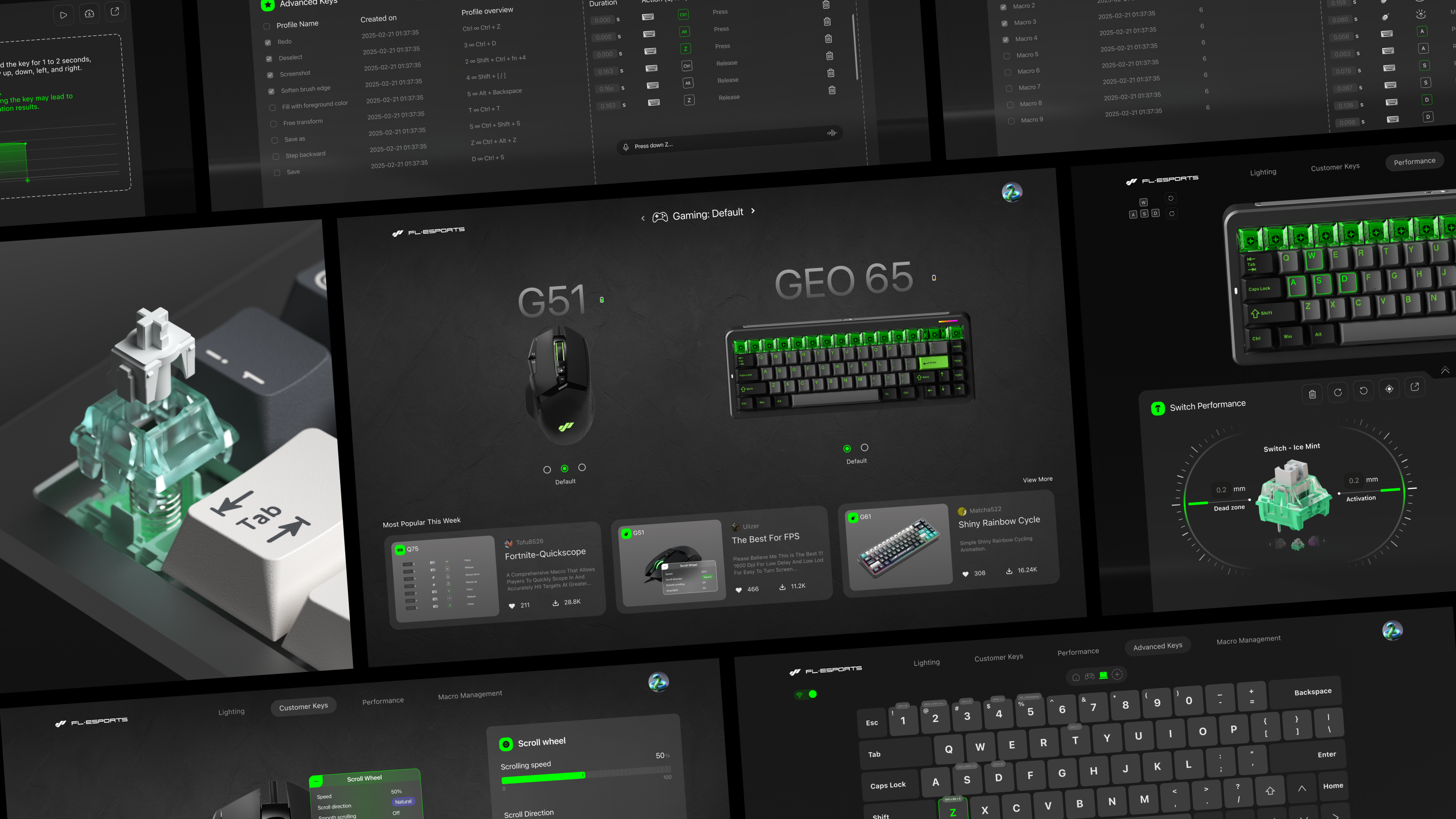
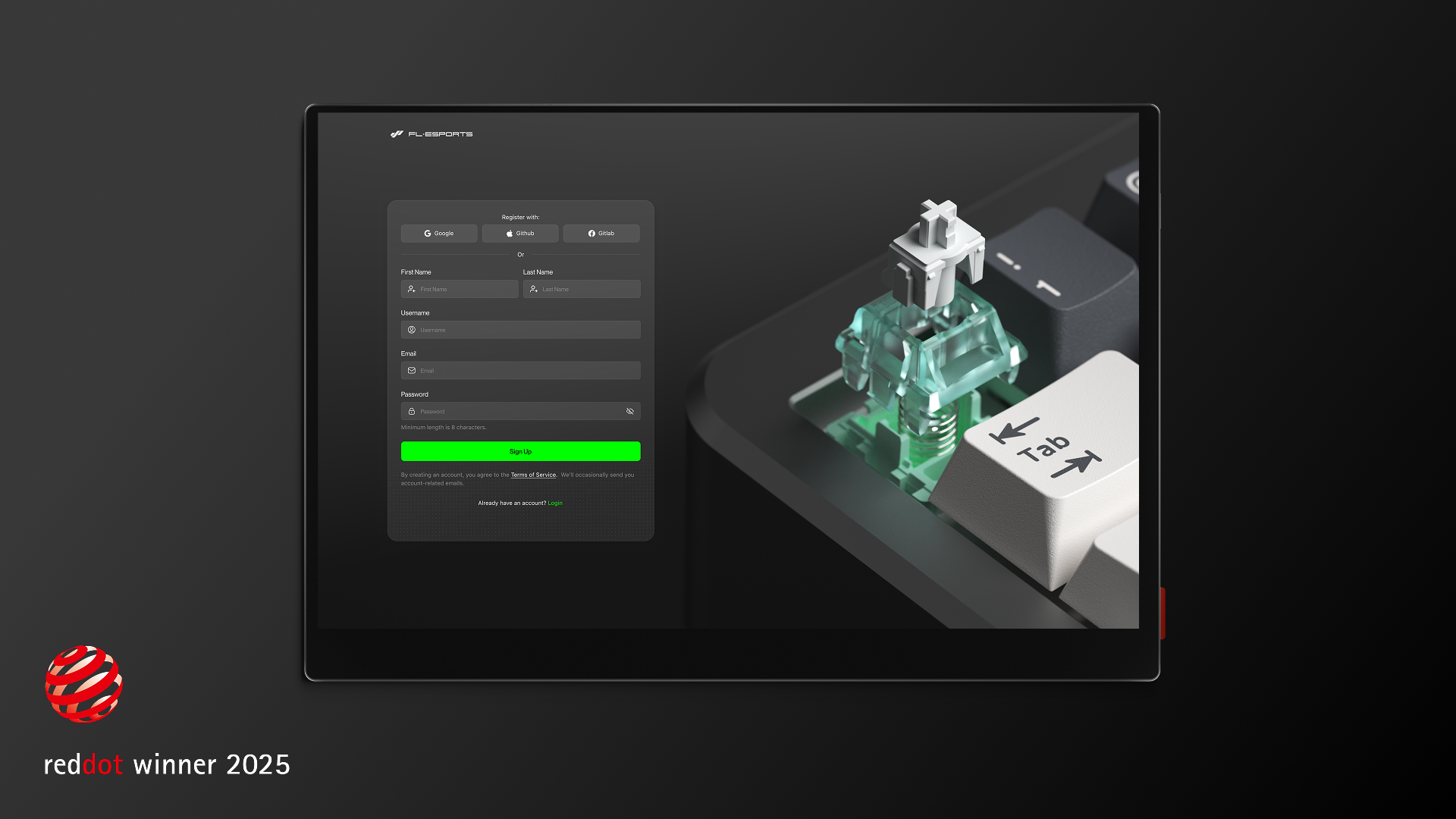
A web-based platform providing intuitive hardware control and real-time feedback on device configurations.
Progress
82%
of user testing participants said F-Sync was easy to use.
77%
of  participants preferred F-Sync for managing their hardware configurations.
Client
My Role
FL-ESPORTS
UX/UI Design
User Research
Testing
Project Overview
The F-sync web app provides a streamlined interface to monitor and synchronize keyboard hardware with the system’s Caps Lock state. It features real-time status tracking, integrated firmware update capabilities, and customizable LED indicators. By centralizing these controls, the platform ensures hardware behavior remains perfectly aligned with software inputs through a responsive, unified dashboard.
Designed with technical clarity and minimalism, F-sync bridges the gap between physical device performance and system-level feedback. The architecture prioritizes transparency, allowing users to troubleshoot connectivity and manage device states without unnecessary complexity. This project demonstrates a commitment to intuitive UX, offering a sophisticated control center for precise peripheral management
Highlights
Real-Time Status Monitoring
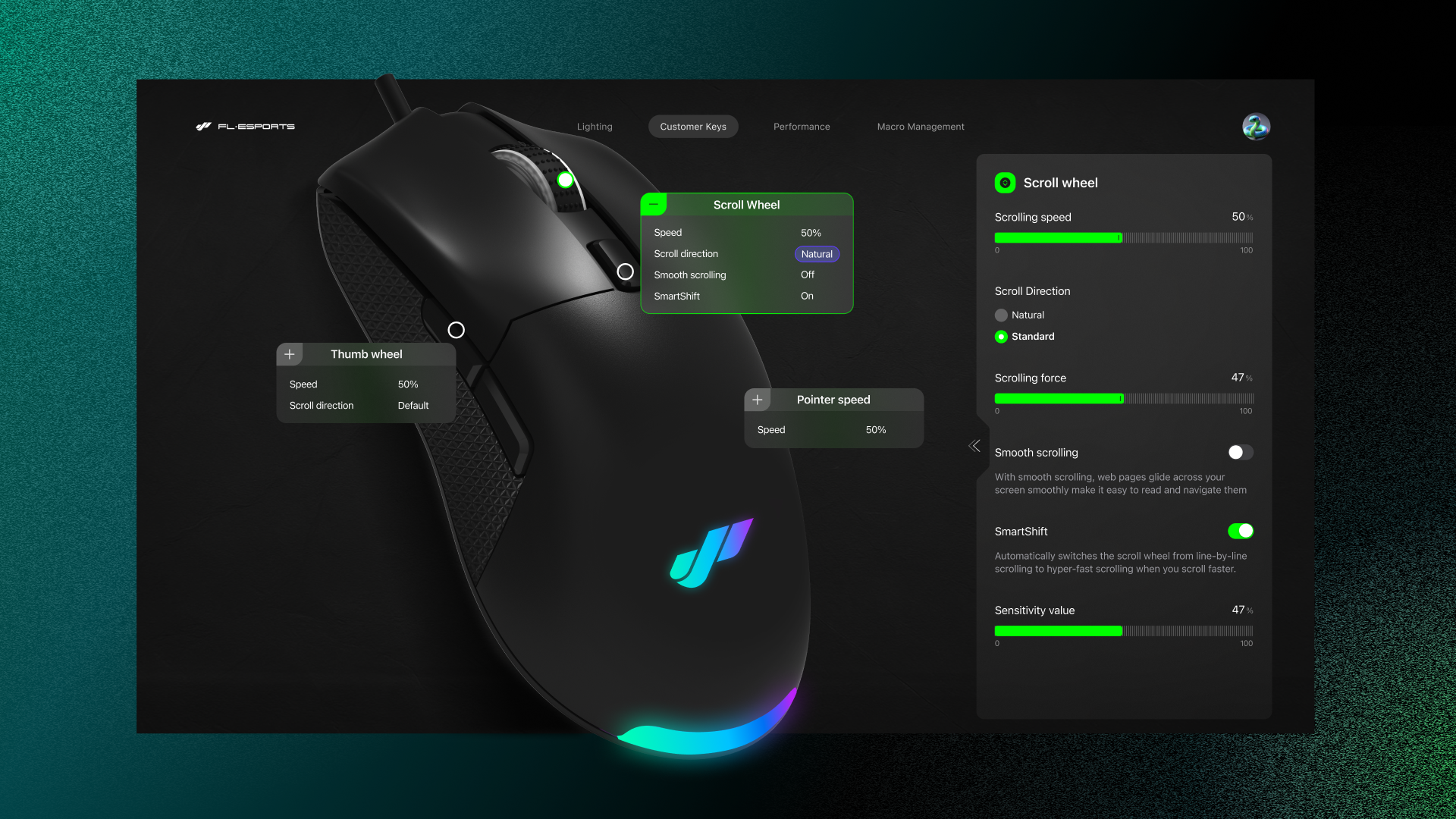
Within the F-Sync ecosystem, the mouse control module extends customization beyond lighting into tactile precision. Users can adjust scroll speed, direction, and SmartShift sensitivity in real time through an interactive visual interface mapped directly to the device’s anatomy. By combining data-driven precision with visual clarity, F-Sync bridges hardware feedback and digital intuition — transforming peripheral configuration into a refined dialogue between human and machine.
Adaptive Configuration & Customization
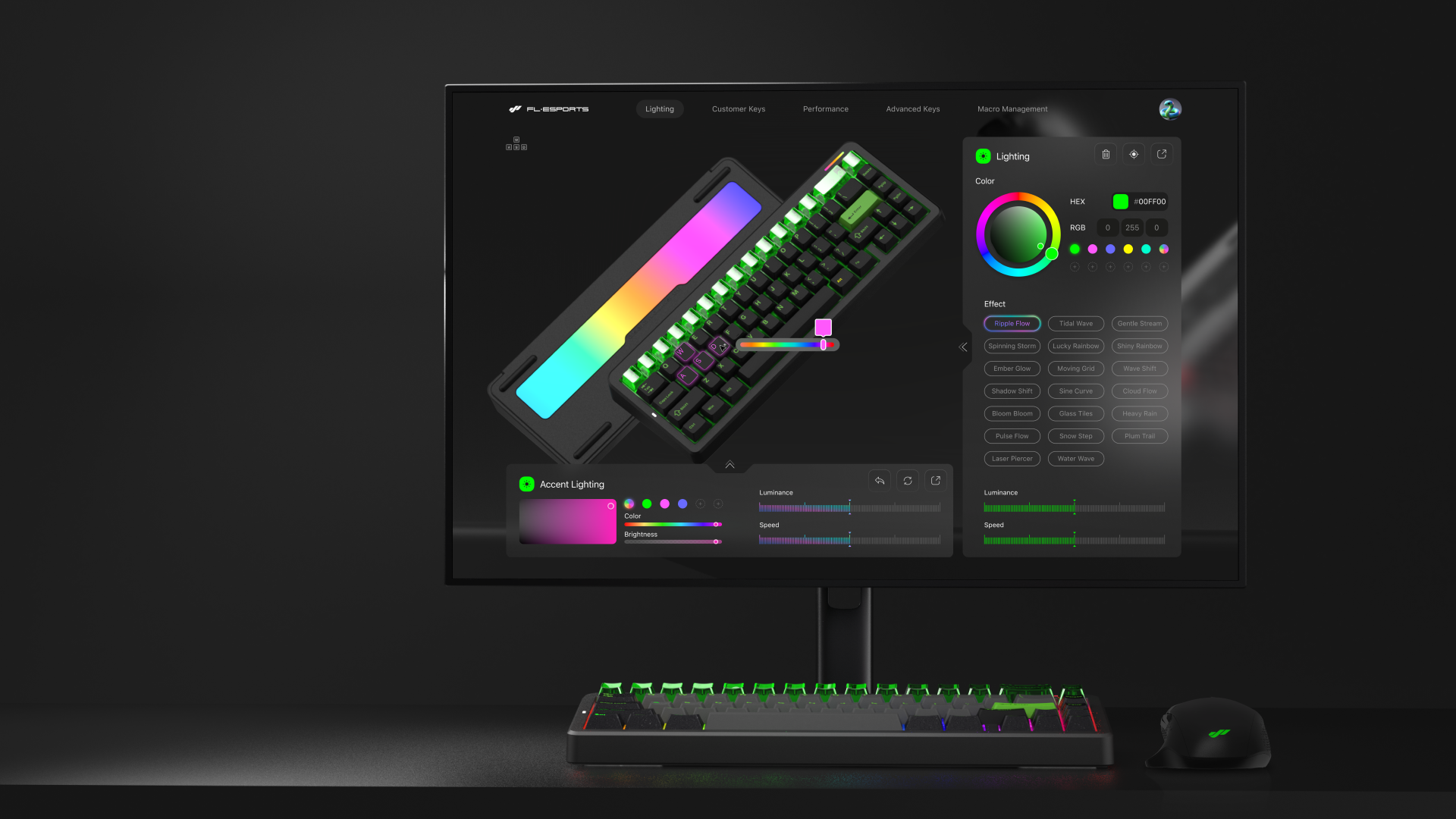
Our design emphasizes cross-device synchronization, modular control, and a coherent visual language that bridges hardware precision with digital fluidity. F-Sync offers a transparent and customizable workflow that allow users to update the keyboard, adjust LED behavior, or enable features like auto-correction for desync issues. These tools provide a higher level of control and transparency for both casual and advanced users.
Accessibility Mode
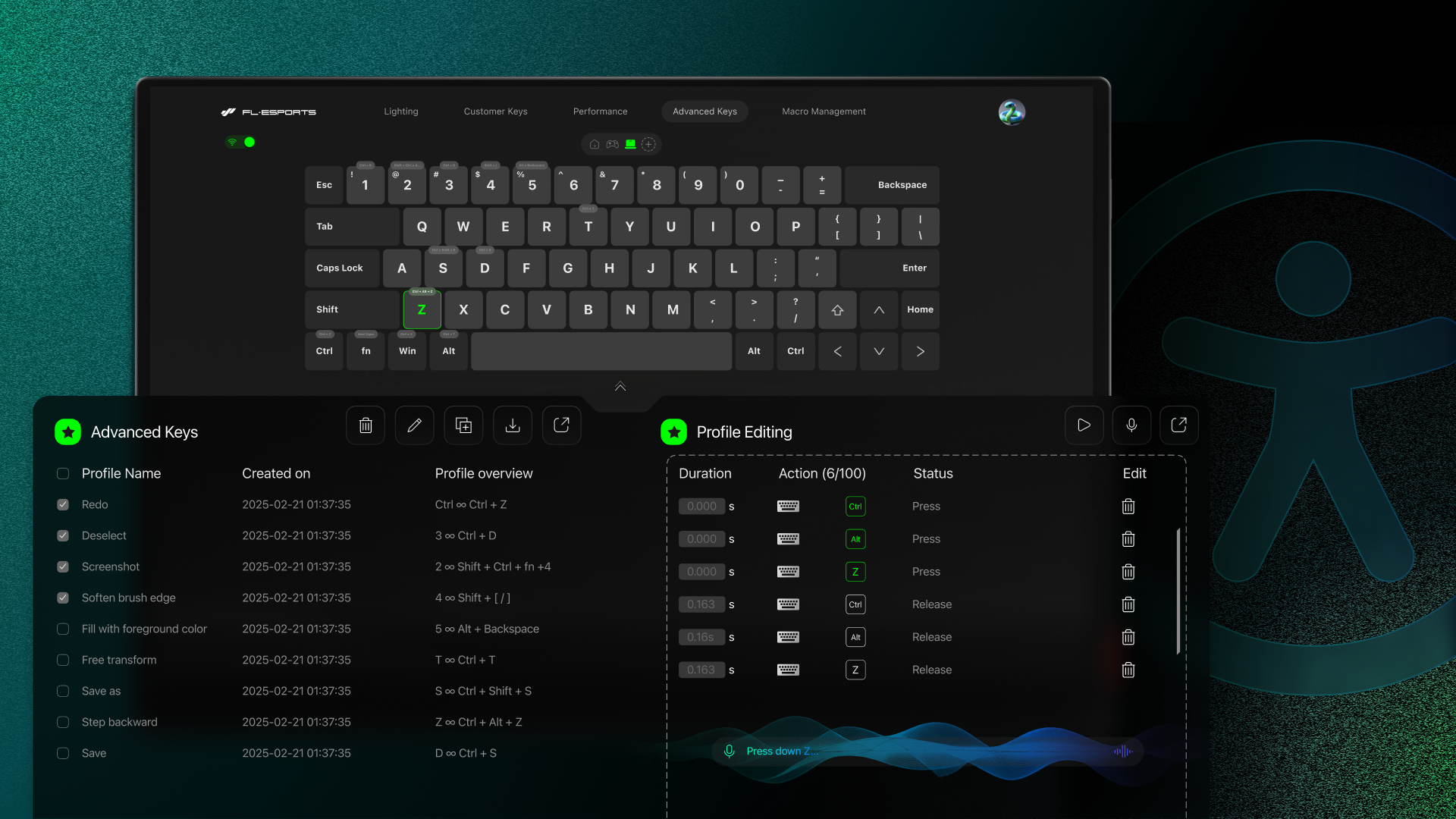
Accessibility Mode expands the traditional concept of peripheral customization by enabling inclusive interaction for users with diverse abilities. Through programmable macros, multi-key remapping, and integrated voice input, the system allows users to execute complex actions with simplified gestures or single-key operations. The design turns high-performance peripherals into adaptive tools that empower creativity, comfort, and equality in digital interaction.

Know More...
About the Client
FL-ESPORTS official website, where performance meets precision. Explore our award-winning gaming gear—engineered for responsiveness, built for victory.
Know more
< Work